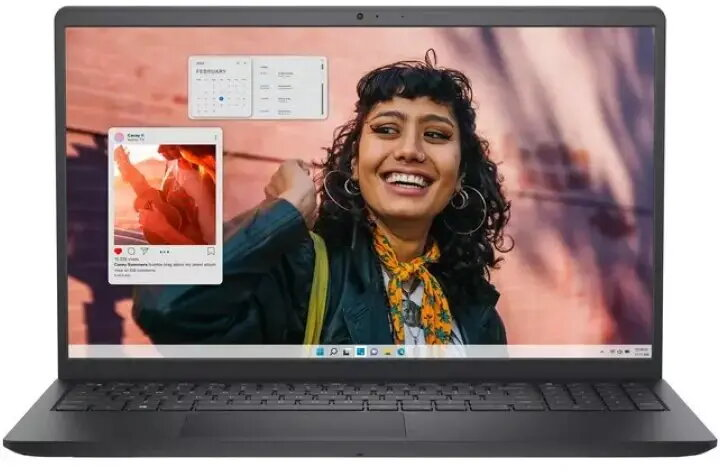
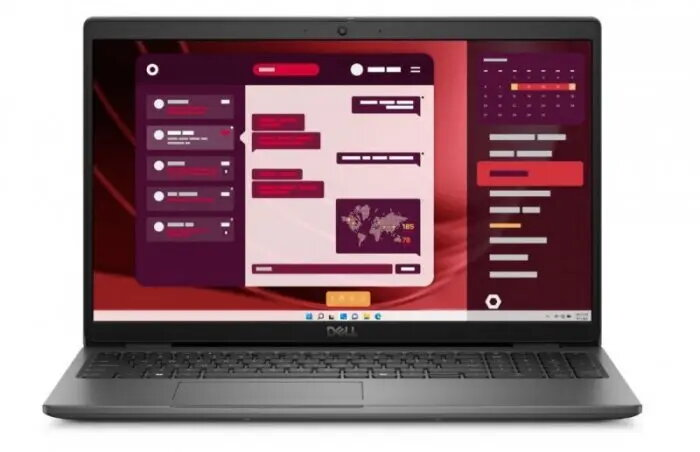
The Dell Latitude 3550 U5 Touch is a business-oriented laptop running Windows 11 Pro, equipped with an Intel U5 processor, 16GB of RAM and a 512GB solid-state drive. The 15.6″ Full HD touch display supports touch input for more flexible interaction, while integrated graphics and an IR camera with dual-array microphone enable secure sign-in and clear video conferencing. The laptop includes Wi‑Fi and Bluetooth connectivity, a backlit keyboard and a 3‑cell battery for mobile productivity.
Advantages
The combination of an Intel U5 processor with 16GB RAM and a 512GB SSD delivers responsive application performance for typical office workflows and multitasking. The 15.6″ FHD touch screen increases input versatility for presentations and form-based tasks. Integrated security and communication features such as an IR camera and dual-array microphone simplify secure authentication and improve voice and video clarity. The backlit keyboard supports work in low-light environments and the lightweight business design facilitates portability between office and home.
Suitable for
Office productivity: word processing, spreadsheets and presentations
Remote work and video conferencing with IR camera and dual-array microphone
Multitasking and browser-based applications
Field work where touch input and portability are useful
Key specifications
Operating system: Windows 11 Pro
Processor family: Intel U5
Memory: 16GB RAM
Storage: 512GB solid-state drive
Display: 15.6″ Full HD (1920×1080) touch panel
Graphics: integrated graphics
Camera and audio: IR camera, dual-array microphone
Keyboard: backlit
Connectivity: Wi‑Fi and Bluetooth
Battery: 3-cell battery
How to use
Power on the laptop and complete the Windows 11 Pro setup to configure user accounts, network settings and security options. Use the touch display for direct interaction with compatible applications and the touchpad or an external mouse for pointer control. Sign in quickly with IR camera facial recognition where configured, and use the dual-array microphone and integrated camera for video calls in supported conferencing applications. Store files on the 512GB SSD for fast access and configure syncing or backup through built-in Windows tools or cloud services.
Usage recommendations
For consistent performance, keep the system updated with Windows updates and device drivers. Use the backlit keyboard in low-light situations and enable power-saving settings when running on the 3‑cell battery to extend battery life. For secure remote access, combine Windows sign-in methods with corporate VPN and regular backups of important data.
Set by payment provider stripe.com to process payments
10 years
Statistics cookies collect information anonymously. This information helps us understand how visitors use our website.
SourceBuster is used by WooCommerce for order attribution based on user source.
Name
Description
Duration
sbjs_session
The number of page views in this session and the current page path
30 minutes
sbjs_udata
Information about the visitor’s user agent, such as IP, the browser, and the device type
session
sbjs_first
Traffic origin information for the visitor’s first visit to your store (only applicable if the visitor returns before the session expires)
session
sbjs_current
Traffic origin information for the visitor’s current visit to your store
session
sbjs_first_add
Timestamp, referring URL, and entry page for your visitor’s first visit to your store (only applicable if the visitor returns before the session expires)
session
sbjs_current_add
Timestamp, referring URL, and entry page for your visitor’s current visit to your store
session
sbjs_migrations
Technical data to help with migrations between different versions of the tracking feature





 Free shipping €100
 30 day return
 Warranty 1 year
