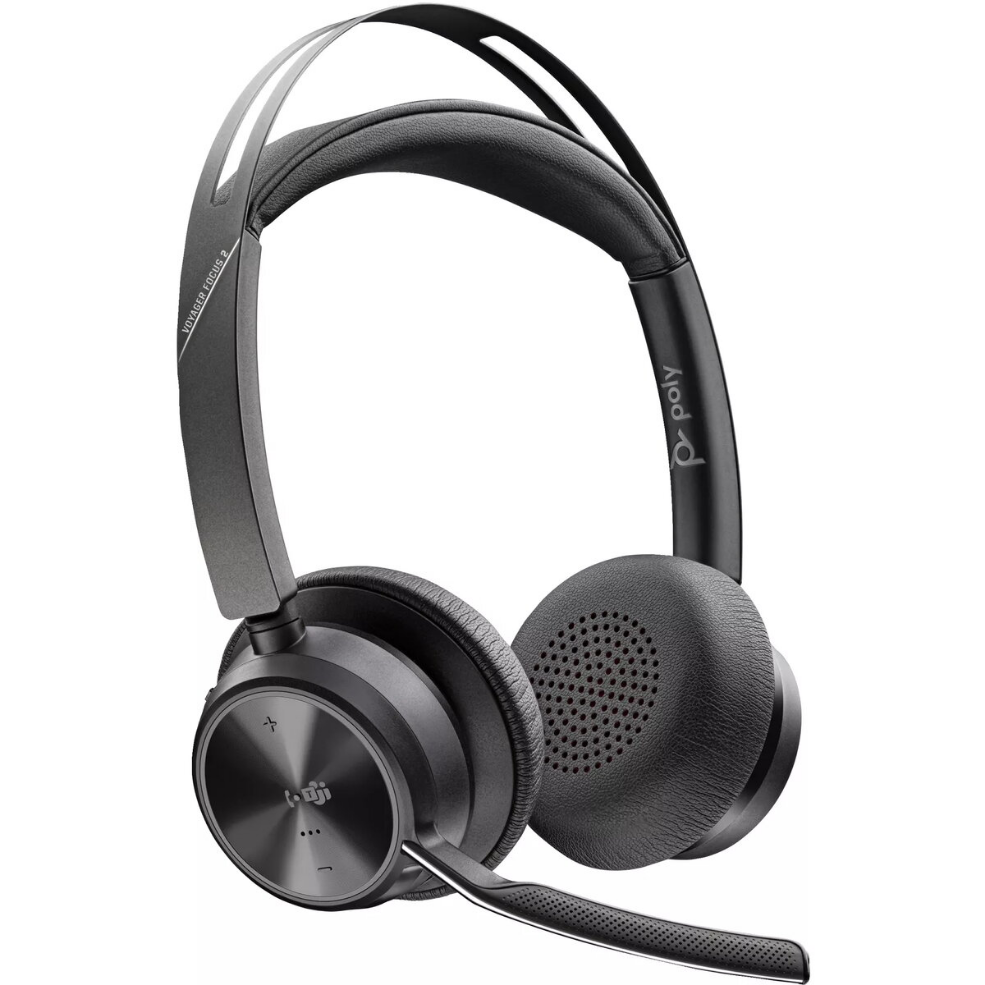
Headset POLY Voyager Focus 2

SKU: 10936940

Apple-Shopping-Event

Hurry and get discounts on all Apple devices up to 20%

Sale_coupon_20

Original price was: 166,99 €.Current price is: 133,99 €.

  • Free shipping €100
  • 30 day return
  • Warranty 1 year

Beschreibung

The POLY Voyager Focus 2 is a Microsoft Teams Certified USB-C stereo Bluetooth headset engineered for clear communication and comfortable all-day wear. It delivers focused audio for calls, integrates active noise cancellation, and comes with a USB-C/A adapter and a charging stand. Origin: Mexico. Model: 9T9J6AA#AC3.

Vorteile

The headset provides high-quality stereo sound and active noise cancellation to reduce background distractions during calls. Its USB-C connectivity and included USB-C/A adapter ensure easy connection to a wide range of devices, while the charging stand simplifies storage and charging. Certification for Microsoft Teams guarantees compatibility with common collaboration workflows.

Geeignet für

  • Remote meetings and video conferences
  • Open-office environments with background noise
  • Long-duration calls and workstation use
  • Users needing Microsoft Teams certified audio devices

Wichtige technische Daten

  • Model: 9T9J6AA#AC3
  • Brand: HP POLY
  • Connectivity: USB-C and Bluetooth (stereo)
  • Certification: Microsoft Teams Certified
  • Included accessories: USB-C/A adapter, charging stand
  • Origin: Mexico
  • EAN: 0198122157242

Anleitung

Connect the headset to your computer or mobile device via Bluetooth or the USB-C cable. If your device uses a USB-A port, attach the included USB-C/A adapter before connecting. Place the headset on your head and adjust the band for a comfortable fit. Use the on-device controls to manage volume, mute, and call handling. Charge the headset using the provided charging stand when not in use.

Anwendungsempfehlungen

For optimal call clarity, enable active noise cancellation in noisy environments and ensure the headset firmware is up to date. Use the Microsoft Teams certification to set the headset as your default audio device in Teams settings for consistent performance.

Overview