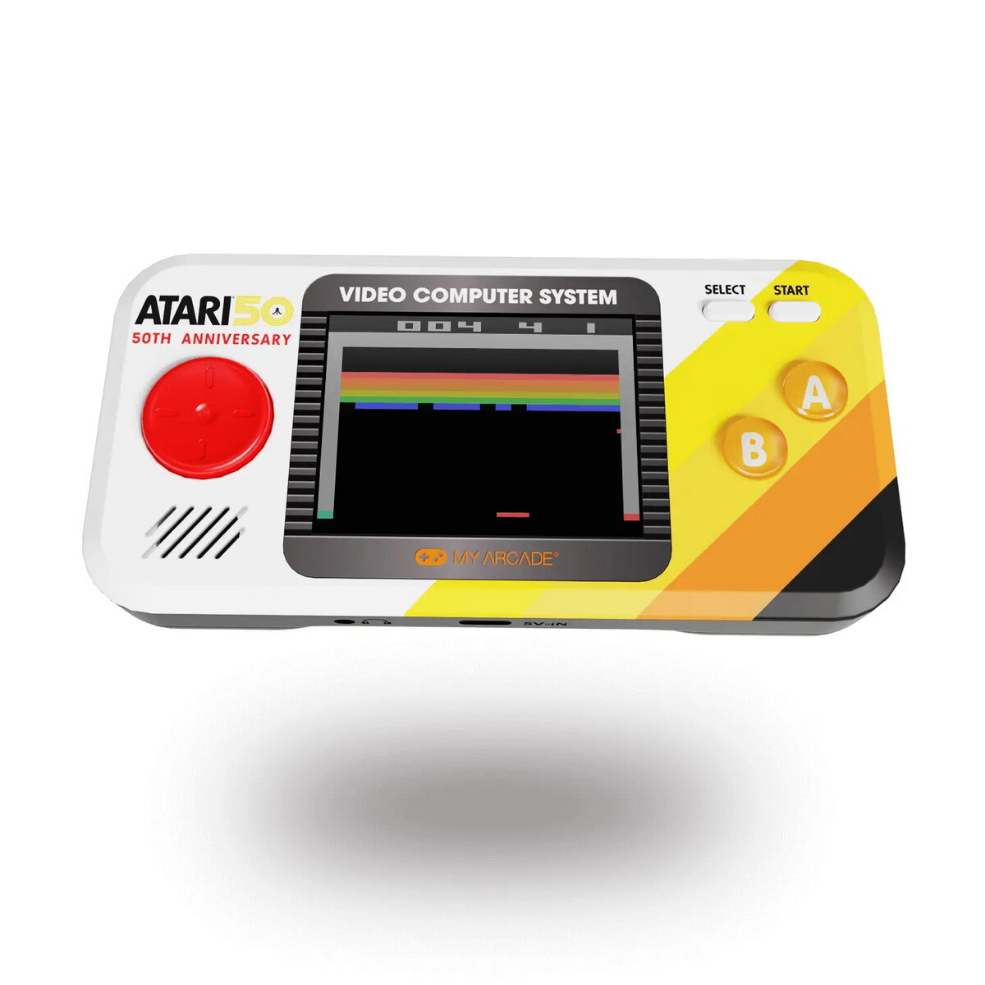
The My Arcade Atari Pocket Player Pro handheld console brings 100 officially licensed Atari 2600 and bonus titles in a compact portable format. With a 2.75″ (6.98 cm) full‑color screen, adjustable brightness, front‑facing speaker with volume control, a D‑pad plus dedicated Start and Select buttons, and both USB‑C and AA battery power options, the unit is designed for straightforward retro gameplay and easy on‑the‑go use.
Advantages
The console includes a curated selection of classic Atari games such as Asteroids®, Centipede®, PONG®, Breakout®, Missile Command® and Warlords®, all officially licensed and fully playable. Its small multicolour display and adjustable brightness make it suitable for different lighting conditions, while the built‑in speaker and 3.5 mm headphone jack provide flexible audio options. Dual power sources (USB‑C or 4 AA batteries) ensure playtime whether you have access to a cable or not.
Suitable for
- Casual retro gaming at home or while travelling
- Fans of classic Atari 2600 titles
- Gift for collectors or nostalgic players
- Quick pick‑up play sessions and commuting
Key specifications
- Built‑in games: 100 officially licensed Atari 2600 titles + bonus games
- Display: 2.75″ (6.98 cm) full‑color screen with adjustable brightness
- Controls: D‑pad, Start and Select buttons
- Audio: Front‑facing speaker, volume controls, 3.5 mm headphone jack
- Power: USB‑C or 4 × AA batteries (not included)
- Colour: Multicolour
- Manufacturer MPN: DGUNL-7015, EAN: 0845620070152
How to use
Power the device by inserting four AA alkaline batteries or connecting a USB‑C cable to a suitable power source. Turn on the console using the power control, adjust screen brightness and volume to your preference, choose a game from the built‑in menu using the D‑pad and Start/Select buttons, and plug in headphones into the 3.5 mm jack if private listening is required. Save or resume play according to the built‑in menu options available on the unit.
Usage recommendations
For extended sessions, use a stable USB‑C power source to preserve battery life. Keep the screen brightness at a comfortable level to extend playtime on batteries and use headphones to avoid disturbing others in quiet environments.




 Free shipping €100
 30 day return
 Warranty 1 year

 Overview