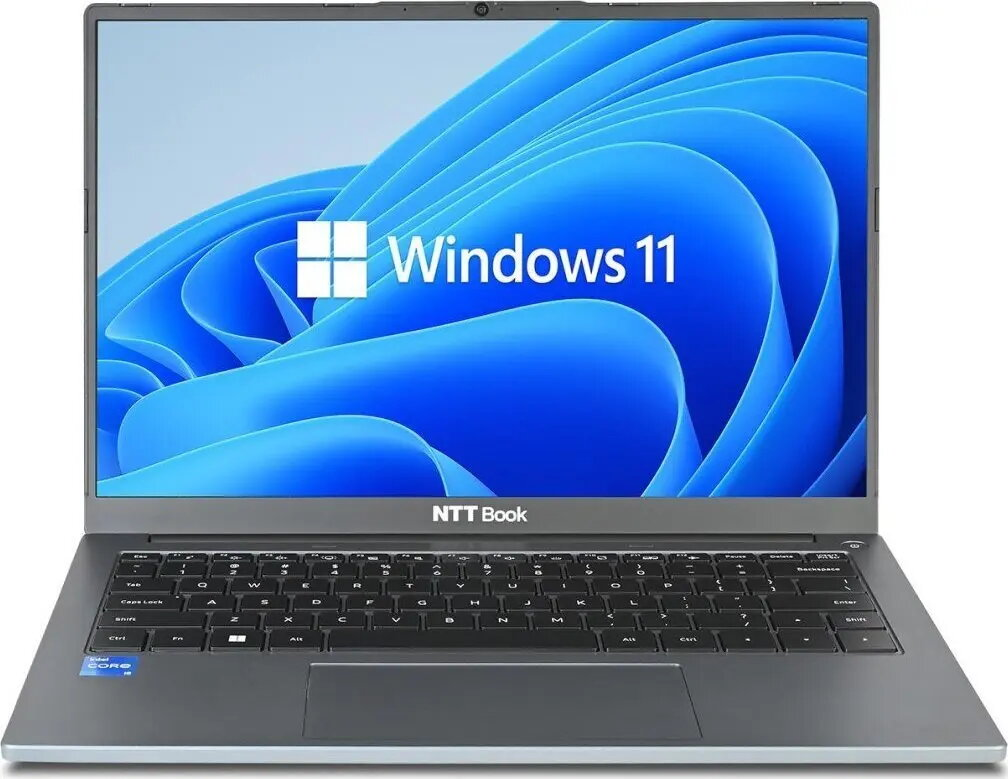
NTT System Book B14IP is a 14.0″ laptop equipped with an Intel Core i5-1235U processor, 16GB of RAM and a 1TB M.2 NVMe SSD. Supplied with Windows 11 Home, this compact notebook is designed to balance processing performance and energy efficiency for everyday office tasks, remote learning and general multitasking. The 14.0″ form factor and modern low-power CPU make it suitable for users who need portability without sacrificing storage capacity or responsive application behaviour.
Advantages
The Intel Core i5-1235U offers a mix of performance and power efficiency suitable for sustained productivity workloads. A 1TB M.2 NVMe SSD provides fast system boot, quick application launch and ample space for documents, media and project files. 16GB RAM enables smooth multitasking and improved responsiveness when running multiple browser tabs, office suites or virtual meetings. Windows 11 Home is preinstalled, providing an up-to-date user interface and security features out of the box.
Suitable for
- Office productivity and document processing
- Remote learning and video conferencing
- Everyday multitasking and web browsing
- Storing large file libraries and fast access to applications
Key specifications
- Display size: 14.0 inches
- Processor: Intel Core i5-1235U (low-power, multi-core architecture)
- Memory: 16GB RAM
- Storage: 1TB M.2 NVMe SSD
- Operating system: Windows 11 Home
- Form factor: portable 14.0″ laptop suitable for mobile use
How to use
Power on the laptop, complete the initial Windows 11 Home setup and configure your user account. Use the built-in display, keyboard and touchpad for everyday work; attach external peripherals such as an external monitor, keyboard or mouse through available ports if needed. Store documents and media on the 1TB NVMe SSD for fast access, and use system tools to keep Windows and drivers up to date for reliable operation.
Usage recommendations
For optimal performance, keep Windows updates and drivers current, enable power profiles that match your usage (balanced for daily work, power saver for extended battery life) and avoid filling the SSD to full capacity to maintain sustained write performance. Regularly back up important data to an external drive or cloud storage.




 Free shipping €100
 30 day return
 Warranty 1 year

 Overview