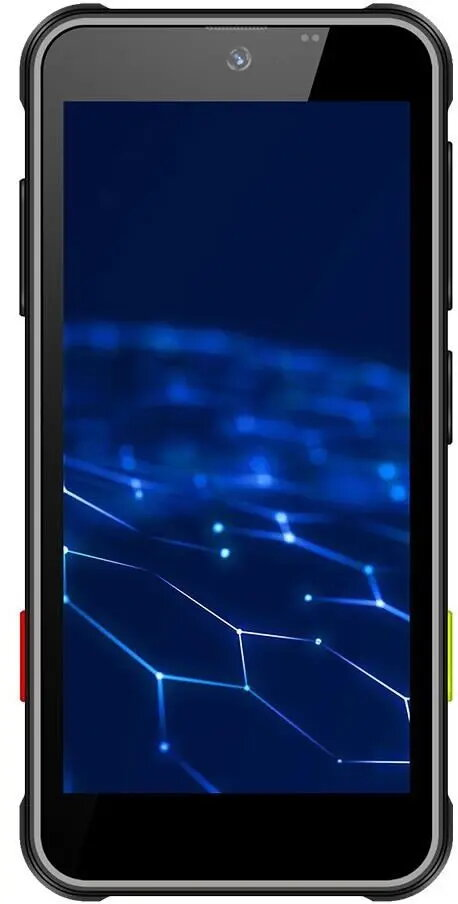
Smartphone OukiTel T mini Black — compact Android handset

SKU: 12039093

Apple Shopping Event

Hurry and get discounts on all Apple devices up to 20%

Sale_coupon_20

167,99 

  • Free shipping €100
  • 30 day return
  • Warranty 1 year

Description

OukiTel T mini Black is a compact Android smartphone designed for everyday mobile use. The handset provides standard smartphone functionality — phone calls, text messaging, internet access, camera use and support for Android apps — in a pocket-friendly black chassis. Its small form factor is intended for users who prioritise portability and straightforward operation while maintaining access to common multimedia, navigation and social media features.

Advantages

The OukiTel T mini Black combines compact dimensions with the Android ecosystem, enabling users to install and run familiar apps from the Google Play Store and use basic smartphone features without the bulk of larger devices. Its portable size and straightforward feature set make it easy to carry and operate with one hand, while the black finish offers a neutral, practical appearance suitable for everyday use.

Suitable for

  • Users seeking a pocket-sized device for calling and messaging
  • Basic social media browsing and lightweight app use
  • On-the-go navigation and internet access
  • Everyday multimedia tasks such as casual photography and video playback

Key specifications

  • Platform: Android operating system providing app support and internet connectivity
  • Form factor: compact, pocket-friendly handset in black finish
  • Core functions: voice calls, SMS/MMS messaging, internet browsing, camera functionality
  • Multimedia: support for basic photo and video capture and playback through standard Android apps

How to use

Power on the OukiTel T mini Black using the side power button and complete the initial Android setup by following on-screen prompts to connect a Google account and a Wi‑Fi network or mobile data. Install or update apps via the Google Play Store for messaging, social media, navigation and multimedia. Use the camera app for taking photos and recording video and the default browser or installed apps for internet access. Manage calls and contacts through the phone and contacts apps and adjust sound, display and connectivity settings from the system settings menu.

Usage recommendations

For reliable daily performance, keep the operating system and apps up to date, use a protective case to preserve the compact housing, and regularly back up important contacts and media to cloud services or local storage.

Overview