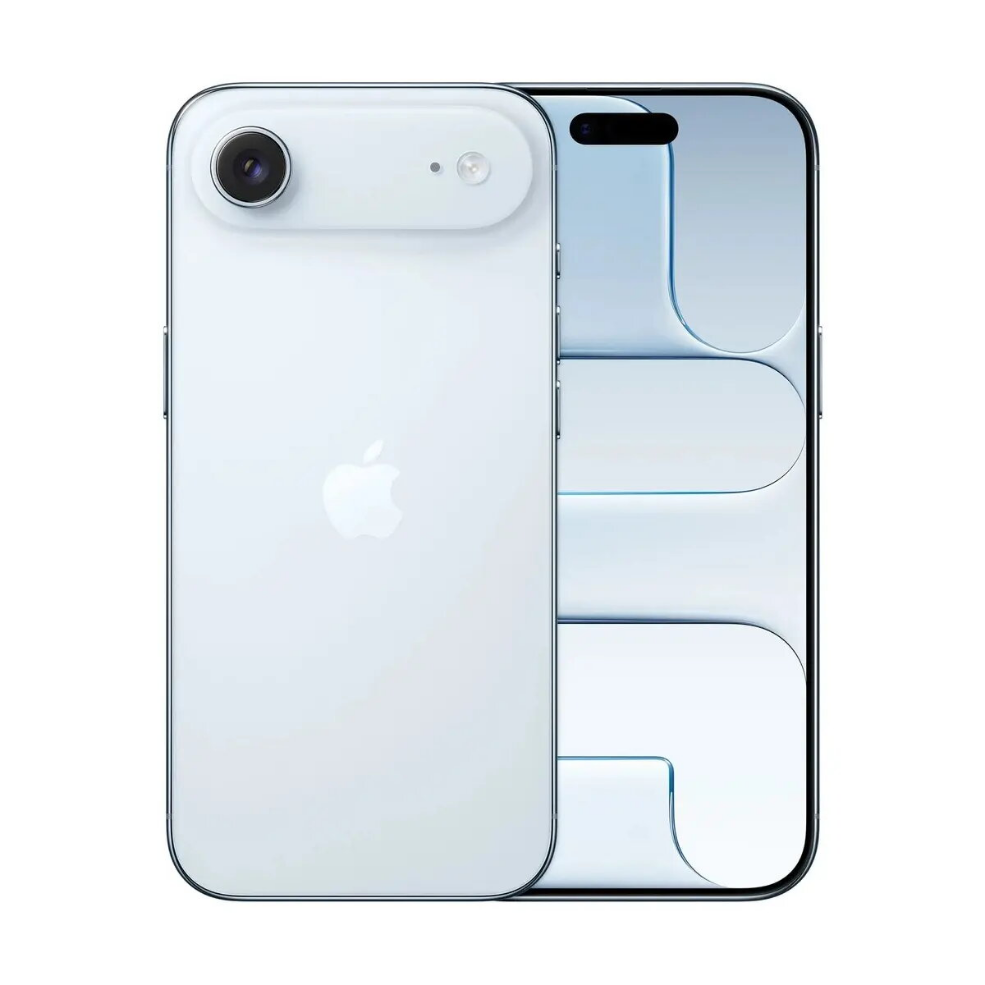
The Apple iPhone Air 6.1″ 256GB in Sky Blue combines a 6.1-inch display with substantial 256GB internal storage to accommodate apps, photos, and media. Designed for everyday use, the device integrates a modern A-series chip for responsive performance, an advanced camera system for versatile imaging, and battery capacity intended to support typical daily activity. The Sky Blue finish offers a distinctive appearance while the overall design follows familiar Apple ergonomics and build quality.
Advantages
This iPhone model delivers a balance of screen size and storage, providing ample space for files and high-resolution media without the need for immediate external storage. The combination of a powerful A-series processor and optimized operating environment supports smooth app performance, multitasking, and responsive navigation. Imaging capabilities allow for clear photos and video capture in a range of lighting conditions, and battery life is tuned to handle common daily workflows.
Suitable for
- Everyday smartphone use including calls, messaging, and social apps
- Mobile photography and video capture
- Media consumption such as streaming and browsing
- Productivity tasks including email, calendar, and document viewing
Key specifications
- Display size: 6.1 inches
- Internal storage: 256 GB
- Finish: Sky Blue
- Processor: modern A-series chip for mobile performance
- Camera system: multi-mode imaging for photos and video
- Battery: designed for full-day typical use
- Connectivity: standard smartphone wireless and cellular features
How to use
Turn on the device using the side button and follow the on-screen setup assistant to connect to a Wi‑Fi network, sign in with an Apple ID, and restore data from an existing backup if required. Use the home or gesture navigation to browse apps, open the camera app for photo and video capture, and the Settings app to customise display, notifications, and privacy options. Charge the device with a compatible cable and power adapter and update system software via Settings to maintain security and performance.
Usage recommendations
For optimal day-to-day performance, keep system software updated, enable automatic backups to cloud storage, and use a protective case and screen protector to maintain the Sky Blue finish. Manage storage by archiving or removing large unused files and use battery health settings to monitor long‑term battery condition.




 Free shipping €100
 30 day return
 Warranty 1 year

 Overview