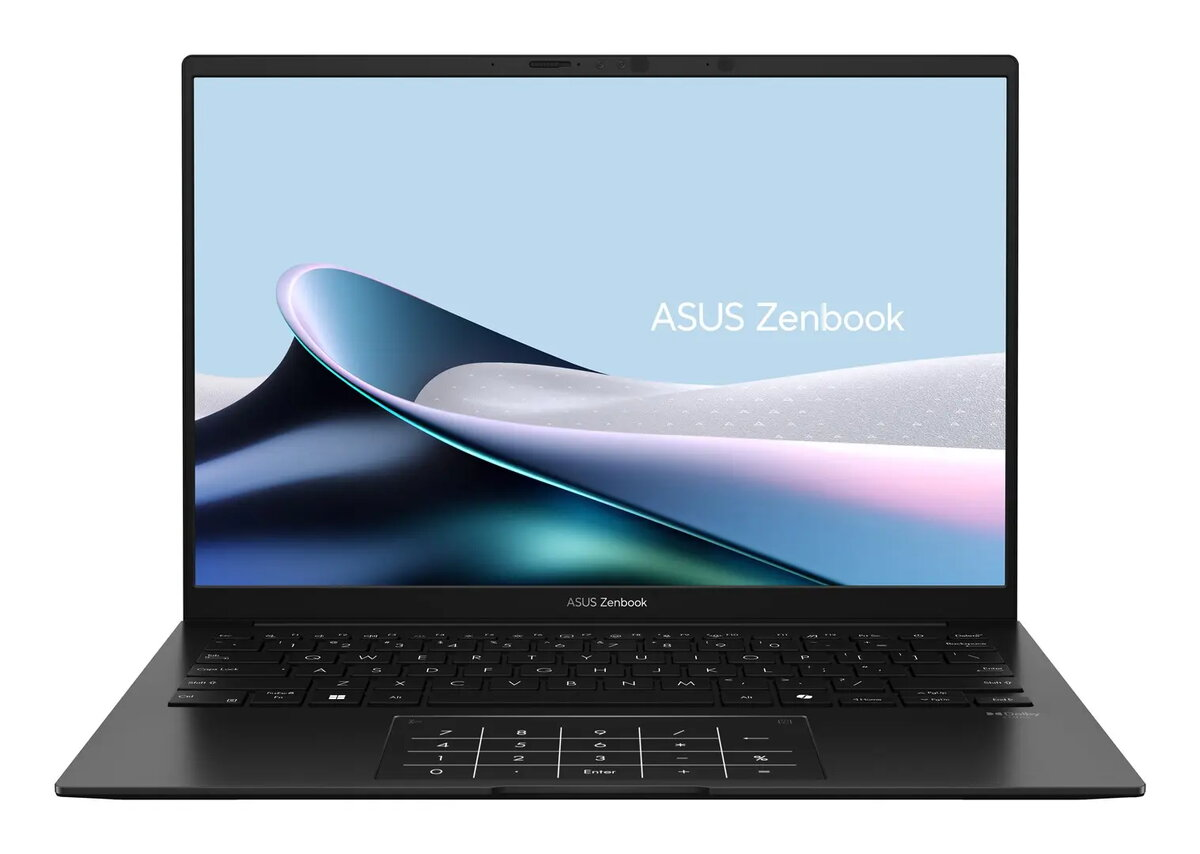
Asus ZenBook 14 OLED UM3406KA is a 14″ laptop with a 14″ WUXGA OLED display (1920 x 1200, 16:10) that delivers 400 cd/m² brightness, 100% DCI‑P3 colour gamut and support for HDR. It is powered by an AMD Ryzen AI 5 340 processor (6 cores, 12 threads, base 2.0 GHz, boost up to 4.8 GHz) with integrated AMD Radeon 840M graphics and an AMD Ryzen AI neural processor offering up to 50 TOPs. The system includes 16 GB LPDDR5x onboard memory, a 512 GB NVMe PCIe 4.0 M.2 SSD, Windows 11 Home, a 75 Wh lithium‑ion battery and compact dimensions with a weight of 1.2 kg in Jade Black finish.
Advantages
The combination of a 14″ OLED panel with 0.2 ms response, wide DCI‑P3 coverage and HDR support ensures accurate colours and smooth visuals for multimedia and content review. The AMD Ryzen AI 5 340 CPU with integrated Radeon 840M and a dedicated NPU provides balanced performance for productivity and AI‑accelerated tasks while maintaining low power consumption. Fast PCIe 4.0 NVMe storage and onboard LPDDR5x memory support quick application loading and responsive multitasking. Built‑in Full HD IR camera with Windows Hello and TPM hardware add convenience and security for sign‑in and device protection.
Suitable for
- Everyday productivity and office work
- Multimedia consumption and content previewing
- AI‑assisted workflows and lightweight model inference
- Mobile professionals needing a compact, lightweight laptop
- Fast storage and connectivity dependent tasks (e.g., file transfer, cloud sync)
Key specifications
- Processor: AMD Ryzen AI 5 340, 6 cores / 12 threads, 2.0 GHz base, up to 4.8 GHz boost
- Neural processor: AMD Ryzen AI up to 50 TOPs
- Graphics: Integrated AMD Radeon 840M
- Memory: 16 GB LPDDR5x (on‑board)
- Storage: 512 GB NVMe SSD (M.2 2280, PCIe 4.0)
- Display: 14″ OLED, 1920 x 1200 (WUXGA), 16:10, 400 cd/m², 100% DCI‑P3, HDR, 0.2 ms, gloss
- Battery: 75 Wh Li‑Ion (4 cells)
- Connectivity: Wi‑Fi 6E (802.11ax), 2×2 antenna, Bluetooth 5.3
- Ports: USB4 Gen3x2 (Type‑C), USB 3.2 Gen2 Type‑C, USB 3.2 Gen1 Type‑A, HDMI 2.1 TMDS, combo audio jack
- Camera: Front Full HD (1920 x 1080) IR camera with Windows Hello support
- Security: TPM, password protection, Windows Hello face recognition
- Dimensions & weight: 312.4 x 220.1 x 14.9 mm, 1.2 kg
How to use
Power on the laptop using the main power button and complete the initial Windows 11 Home setup. Use the USB Type‑C or included AC adapter (65 W, 100–240 V, 50–60 Hz) to charge the battery; USB Power Delivery and a USB‑C charging port are supported. For the best display experience, enable HDR in Windows display settings when viewing HDR content. Connect to Wi‑Fi 6E networks and pair Bluetooth devices via the system settings. Use the built‑in Full HD IR camera and Windows Hello for face sign‑in and the NumberPad for numeric input when needed.
Usage recommendations
For sustained performance, keep the system firmware and drivers updated and allow adequate ventilation during processor‑ or GPU‑intensive tasks. Use NVMe‑aware backup and storage management tools for the SSD. Enable Windows Hello and TPM for improved security when handling sensitive data.




 Free shipping €100
 30 day return
 Warranty 1 year

 Overview