Handheld Game Console RoGer RO36S HD 3.5″

SKU: 11425500

Apple Shopping Event

Hurry and get discounts on all Apple devices up to 20%

Sale_coupon_20

67,99 

  • Free shipping €100
  • 30 day return
  • Warranty 1 year

Description

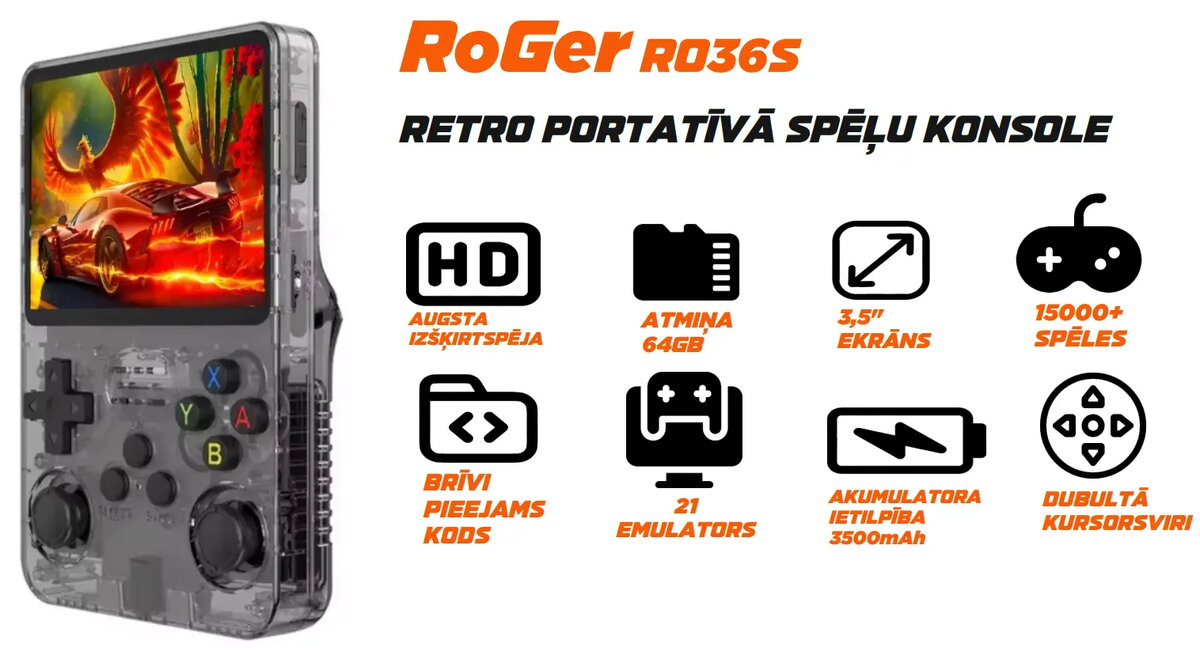
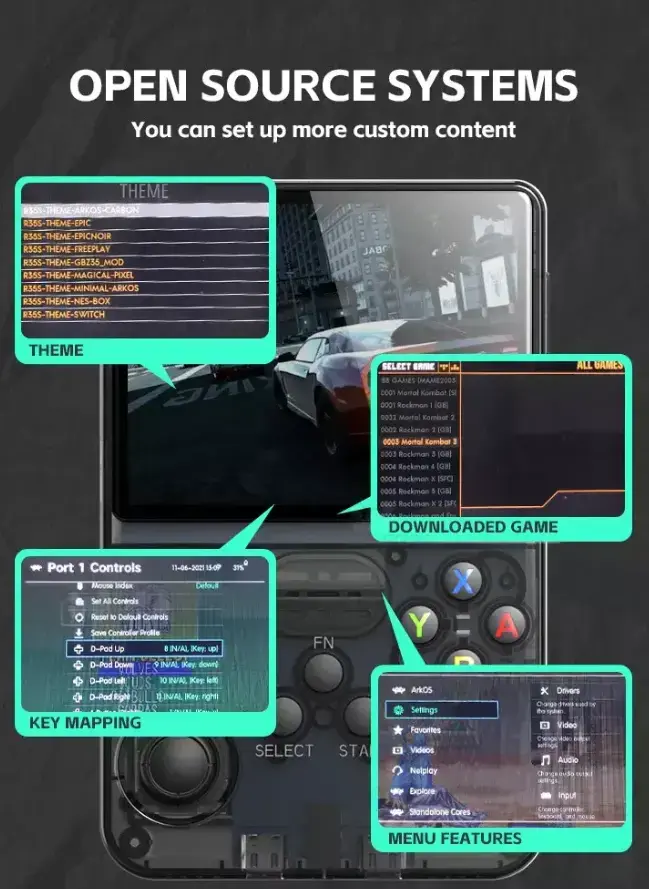
The RoGer RO36S Retro Handheld Console is a compact portable gaming device designed to emulate a wide range of classic systems. It features a 3.5-inch IPS display with 640×480 resolution, 64GB of storage, and runs the customizable ArkOS operating system. The unit comes preloaded with a large collection of retro titles and supports over 21 emulators, making it suitable for on-the-go nostalgic gaming.

Advantages

The RO36S offers a vibrant 3.5-inch IPS screen for clear visuals, long battery life with a 3500mAh cell that provides up to around 6 hours of playtime, and a compact ergonomic design that fits comfortably in hand. Preloaded software and broad emulator support simplify setup and allow immediate access to an extensive library of classic games.

Suitable for

  • Players who want to relive classic NES, SNES and Genesis/Mega Drive games
  • Fans of handheld titles such as Game Boy, Game Boy Advance and Game Gear
  • Arcade and retro collectors using Neo Geo, Capcom CPS and MAME libraries
  • Users seeking portable PlayStation 1 and PSP emulation
  • Travelers and commuters wanting a compact retro gaming device

Key specifications

  • Display: 3.5-inch IPS, 640×480 resolution
  • Storage: 64GB (preloaded games)
  • Battery: 3500mAh, up to ~6 hours of playtime
  • Operating system: ArkOS (customizable)
  • Emulators supported: 21+ systems (NES, SNES, N64, Game Boy/Color/Advance, Genesis/Mega Drive, Game Gear, Neo Geo, CPS1/CPS2/CPS3, MAME, PS1, PSP, PC Engine/TurboGrafx-16, Dreamcast (limited), Nintendo DS (limited))
  • Model: RoGer RO36S (MPN: RO36S-BK, EAN: 4752168148884)

How to use

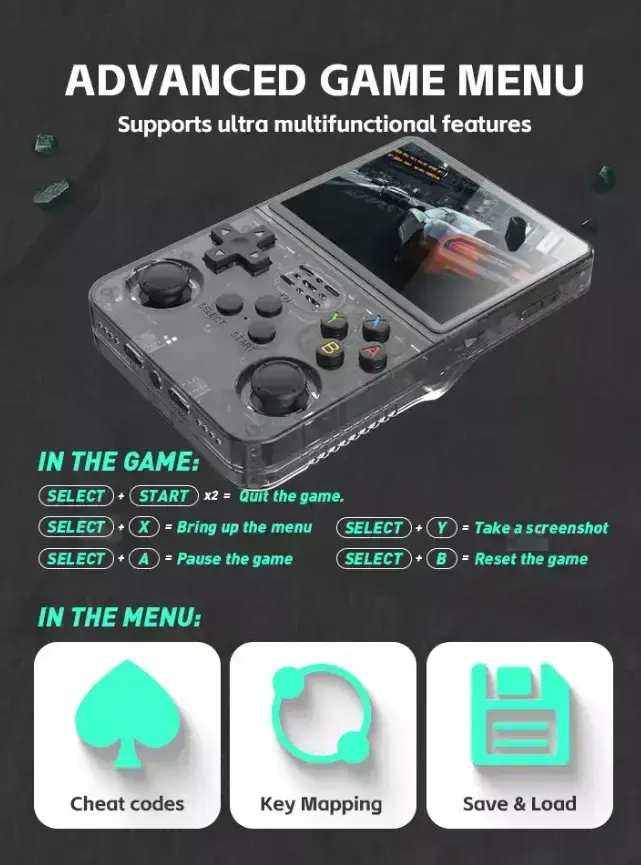
Charge the device fully before first use using the supplied cable. Power on the console, navigate the ArkOS menu to browse preloaded games or emulator settings, and select a title to start playing. Use the built-in controls for gameplay and access system settings to adjust display, audio, save states and controller mappings. Transfer additional ROMs or updates via USB or compatible storage following ArkOS file structure.

Usage recommendations

For optimal battery life, reduce screen brightness and enable power-saving options in the system settings. Use the save state feature to preserve progress and back up important files before performing firmware updates or adding large ROM collections.

Overview