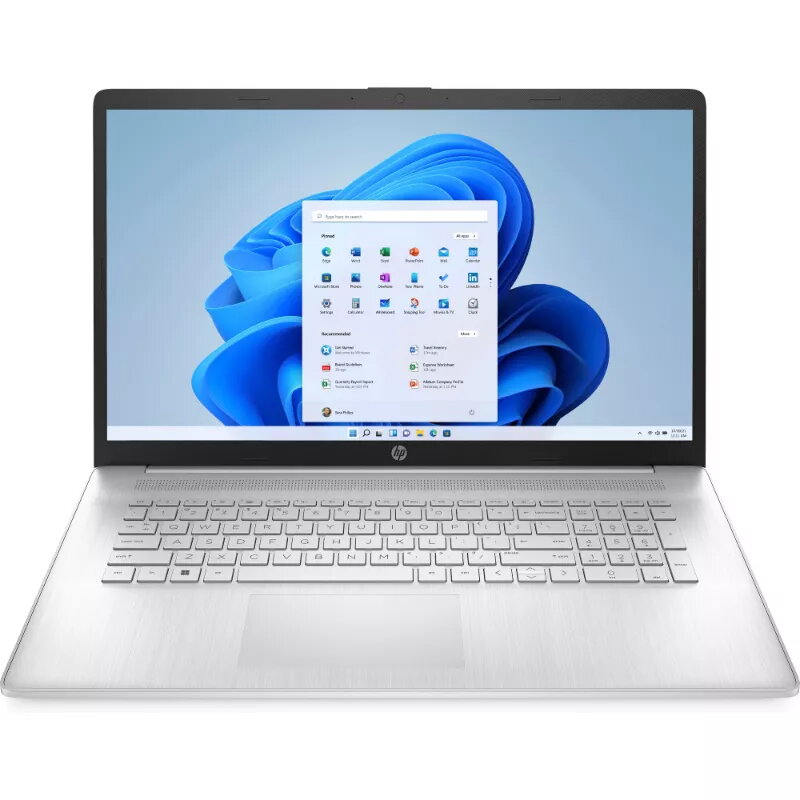
Laptop HP 17-cp2007ny — Ryzen 5 7520U, 17.3″ FHD AG IPS 250 nits, 8GB RAM, 512GB SSD, backlit US keyboard, Windows 11 Home

SKU: 10833692

Apple Shopping Event

Hurry and get discounts on all Apple devices up to 20%

Sale_coupon_20

552,99 

  • Free shipping €100
  • 30 day return
  • Warranty 1 year

Description

The HP 17-cp2007ny is a 17.3-inch laptop designed for everyday productivity and media use. It is powered by an AMD Ryzen 5 7520U processor and comes with 8GB of RAM and a 512GB SSD. The 17.3″ Full HD anti‑glare IPS display with 250 nits brightness offers a wide viewing area for documents, spreadsheets and video playback. The laptop includes a backlit US-layout keyboard and ships with Windows 11 Home preinstalled.

Advantages

This laptop combines a quad-core Ryzen 5 processor with fast SSD storage to provide responsive system performance for typical office tasks, web browsing and multitasking. The large 17.3″ IPS screen with anti‑glare coating reduces reflections in well-lit rooms while maintaining consistent color and viewing angles. A 512GB solid-state drive provides ample space for applications and files and accelerates system boot and application load times. The backlit keyboard enables typing in low-light environments, and Windows 11 Home ensures compatibility with common productivity and communication apps.

Suitable for

  • Office productivity (documents, spreadsheets, email)
  • Web browsing and online meetings
  • Media playback and streaming
  • Everyday multitasking and light content creation

Key specifications

  • Processor: AMD Ryzen 5 7520U
  • Display: 17.3″ Full HD (1920×1080) IPS, anti‑glare, 250 nits
  • Memory: 8GB RAM
  • Storage: 512GB solid-state drive (SSD)
  • Keyboard: US layout, backlit
  • Operating system: Windows 11 Home

How to use

Set up the HP 17-cp2007ny by following the on-screen Windows 11 Home setup assistant to configure user accounts, network connection and privacy settings. Use the SSD for installing the operating system and applications to take advantage of faster boot and load times. Connect external displays, storage devices or peripherals via available ports as needed for extended desktop or file transfer. Adjust display brightness and power settings in Windows to balance visibility and battery runtime when using the laptop on battery power.

Usage recommendations

For consistent display visibility, use the anti‑glare IPS screen in environments with moderate to bright ambient light. Keep the system firmware and Windows updates current and store important data on the internal SSD or an external backup to maintain performance and data protection. For heavier multitasking or larger projects, consider upgrading memory where supported.

Overview