Back to products
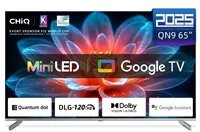
Television CHiQ M65QN9V 65" MiniLED UHD 120 Hz
Television CHiQ M65QN9V 65" MiniLED UHD 120 Hz Original price was: 604,99 €.Current price is: 541,99 €.

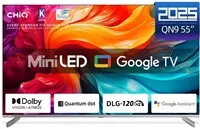
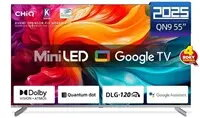
Television CHiQ M55QN9V 55″ UHD MiniLED Google TV DLG 120 Hz

SKU: 11408087

Apple Shopping Event

Hurry and get discounts on all Apple devices up to 20%

Sale_coupon_20

Original price was: 475,99 €.Current price is: 365,99 €.

  • Free shipping €100
  • 30 day return
  • Warranty 1 year

Description

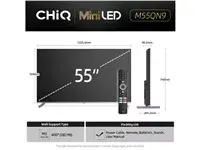
The CHiQ M55QN9V 55″ UHD MiniLED Google TV DLG 120 Hz is a 55-inch television designed for high-resolution viewing and responsive motion. The UHD MiniLED panel combines increased backlight control with a 120 Hz refresh rate to present clearer details, higher contrast and smoother on-screen movement. Integrated Google TV provides direct access to streaming apps, search and personalized content organization. The set is identified by its brand CHiQ and focuses on delivering improved brightness and deeper blacks compared with conventional LED displays.

Advantages

The MiniLED backlighting system improves local dimming and contrast performance while maintaining uniform screen illumination. A 120 Hz refresh rate reduces motion blur for fast-moving scenes such as sports and action films. Google TV integration simplifies content discovery and app management, enabling quick access to popular streaming services. The 55-inch UHD panel offers a balance between screen size and pixel density suitable for living rooms and media spaces. Energy efficiency is classified as F under current labelling.

Suitable for

  • Watching movies and TV series in UHD resolution
  • Viewing sports and action content with reduced motion blur
  • Streaming apps and on-demand services through Google TV
  • General living room or media room installations

Key specifications

  • Screen size: 55 inches
  • Resolution: UHD (Ultra High Definition)
  • Panel technology: MiniLED backlighting
  • Refresh rate: 120 Hz
  • Smart platform: Google TV
  • Contrast and brightness enhanced by MiniLED local dimming
  • Energy efficiency class: F

How to use

Place the television on a stable stand or mount it on a compatible wall bracket at eye level for comfortable viewing. Connect the power cable and use the on-screen setup wizard to select language, network connection and initial Google account sign-in. Install or sign in to streaming apps through the Google TV interface and adjust picture settings such as brightness, contrast and motion smoothing to your preference. Use HDMI inputs for external devices like game consoles or Blu-ray players and configure audio output settings when connecting soundbars or external speakers.

Usage recommendations

For optimal picture quality, allow the TV a few minutes to complete any internal calibration after initial setup, use a well-lit but glare-controlled environment, and select picture modes appropriate to content type (e.g., a cinema mode for movies or a sports mode for live events). Adjust energy-related settings if you prioritise lower power consumption.

Overview

Energy efficiency class:F